Hajra Naz
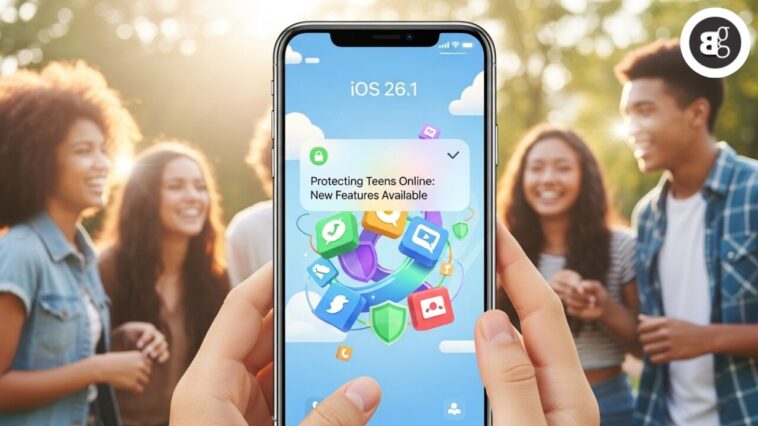
After months of beta testing, Apple has finally released the iOS 26.1 update to iPhones worldwide. The rollout marks one of the biggest Apple updates of 2025, with the file size reaching 12.69 GB.
New Visual Options
Once installed, iOS 26.1 lets users switch between two Lock Screen styles—the traditional clear look and a new tinted design. The tinted look increases opacity in apps and notifications, offering a refreshed, modern appearance.

Teen Safety and Parental Controls
Apple continues its focus on teen safety online. The new Communication Safety and Web Content filters automatically restrict access to adult sites. These features are enabled by default for users aged 13–17, depending on the country or region.
Apple says this move aims to protect young users and promote safer online experiences.
Read More: Urgent iOS 26.1 Update: Apple Warns iPhone Users to Install Now
Apple Music, AirPods, and Fitness App Upgrades
The Apple Music Mini Player now supports a new swipe gesture to skip tracks. AirPods users can access Live Translation in more languages — Chinese (Simplified and Traditional), Japanese, Korean, and Italian.
Even users without an Apple Watch can now log workouts manually from the Fitness app — a feature many users requested.
FaceTime also gets an upgrade. The app now improves audio quality in low-bandwidth conditions, making calls clearer even on slow networks.
New Camera and Privacy Controls
The update adds a new camera toggle to control lock screen access. You can now enable or disable swipe-to-open directly from Settings.
Apple also fixed several critical privacy and security flaws.
-
A bug that allowed malicious apps to capture screenshots of sensitive data has been patched.
-
A memory handling issue that caused crashes or corrupted kernel memory has been resolved.
-
A Find My app vulnerability was fixed by moving sensitive data to a safer location.
-
A privacy issue in the Notes app has been patched by removing vulnerable code.
iOS 26.1 Eligible Devices
Supported iPhones:
iPhone 16e, iPhone 16, 16 Plus, 16 Pro, 16 Pro Max, 15 series, 14 series, 13 series, 12 series, 11 series, and iPhone SE (2nd gen).
Supported iPads (iPadOS 26.1):
iPad Pro (M4), iPad Pro 12.9-inch (3rd gen+), iPad Pro 11-inch (1st gen+), iPad Air (M2–M3), iPad (8th gen+), and iPad mini (5th gen+).
How to Install iOS 26.1 or iPadOS 26.1
Via OTA (Over-the-Air)
-
Ensure your device has over 50% battery and enough storage.
-
Go to Settings → General → Software Update.
-
Tap Download and Install to start the process.
Via iTunes (Manual Installation)
-
Back up your device using iCloud or iTunes.
-
Update your iTunes app to the latest version.
-
Connect your iPhone or iPad to your computer.
-
In iTunes, click your device name, then tap Check for Update.
-
Click Download and Update, then agree to the terms.
-
Enter your passcode if prompted.
Once the process is complete, your iPhone will reboot with the latest iOS 26.1 features and security improvements.
Read More: iPhone Users Will Soon Store U.S. Passports in Apple Wallet
FAQs
1. What is the size of the iOS 26.1 update?
It’s around 12.69 GB, so make sure you have enough space before downloading.
2. What are the main new features in iOS 26.1?
New teen safety filters, lock screen tint options, Live Translation for AirPods, improved FaceTime audio, and key privacy fixes.
3. Does iOS 26.1 improve security?
Yes. Apple patched several privacy vulnerabilities and improved data protection in apps like Find My and Notes.
4. How do I install iOS 26.1 manually?
You can use iTunes on your Mac or PC, back up your data, then click “Check for Update” and follow the on-screen steps.
5. Which devices support iOS 26.1?
All iPhone 11 and newer models, plus iPhone SE (2nd gen), are compatible. The same applies to recent iPads running iPadOS 26.1.