Hassan Khan
Imagine this You’re enjoying dinner, totally offline, and your Instagram bot just booked a wedding shoot for your business. Sounds wild, right? That’s exactly what happened for a client of ours at Avida Studios.
So, We created a smart Instagram chatbot that saved them over 20 hours a week, handled all incoming inquiries, and booked dozens of paying clients without missing a single message. The best part? It took under 30 minutes to build, and you can do the same even if you have zero tech skills.

So Let’s Get Started
Step 1: Set Up the Basics
Before we build anything, we need to get your Instagram account ready for automation. Yes, it’s the boring part but skipping this causes more headaches later.
Create a Facebook Business Page
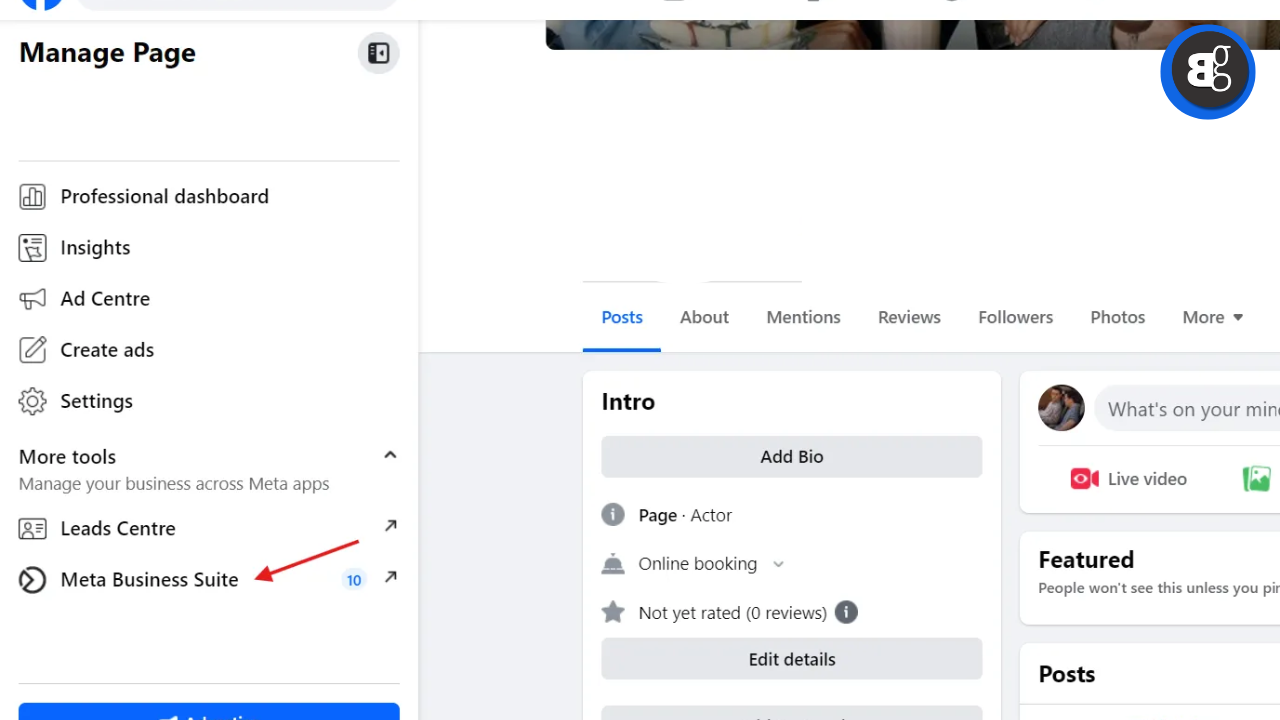
Even though we’re working with Instagram, Meta requires a Facebook page as a bridge. Just create one using the same name and info as your Insta business account.
Connect Instagram to Facebook Business Suite
Go to business.facebook.com and link your Instagram under your Business Portfolio. Make sure to allow all messaging permissions it’s what lets the bot actually reply to DMs!
Also, enable two factor authentication and verify your business info Meta’s strict about this for new accounts.
Step 2: Build Your Chatbot in Voiceflow
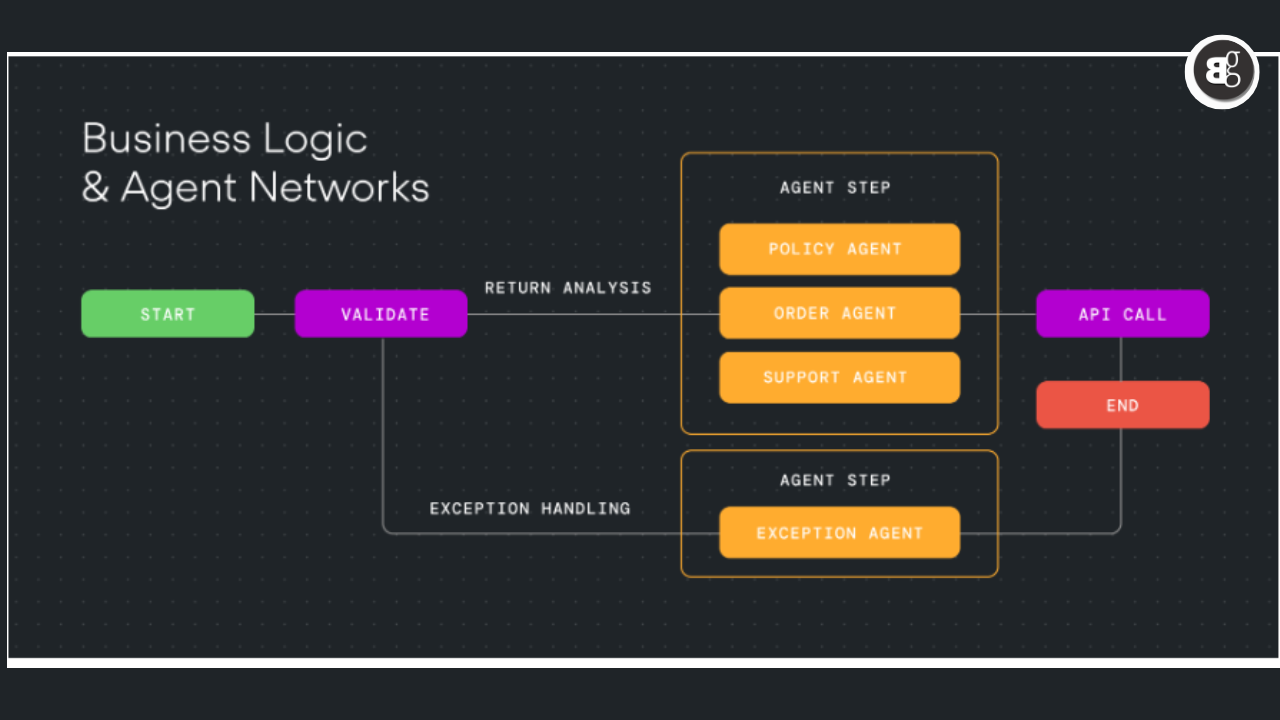
Now for the fun part. We’re not just building a boring Q&A bot we’re creating a smart, friendly conversation that qualifies leads just like a human would.
5-Agent Flow
We structure bots like a sales team. Each “Agent” has a role:
-
Welcome Agent: Greets and qualifies interest
-
Discovery Agent: Digs deeper with hot leads
-
Warm Lead Agent: Nurtures “maybe” clients
-
Info Capture Agent: Gathers name, email, etc.
-
Not Interested Agent: Ends convo kindly
Start with a friendly, emotional welcome message. Example:
“Hey there! Congrats on your big day! I’m here to help you capture every moment. What’s got you most excited about your wedding?”
That personal, emotional touch is what makes people respond.
Step 3: Smart Conversations with Voiceflow Agents
Use Voiceflow’s “Agent” step to make conversations feel natural. You don’t need to write every possible answer they’ll understand variations and keep it flowing like a human chat.
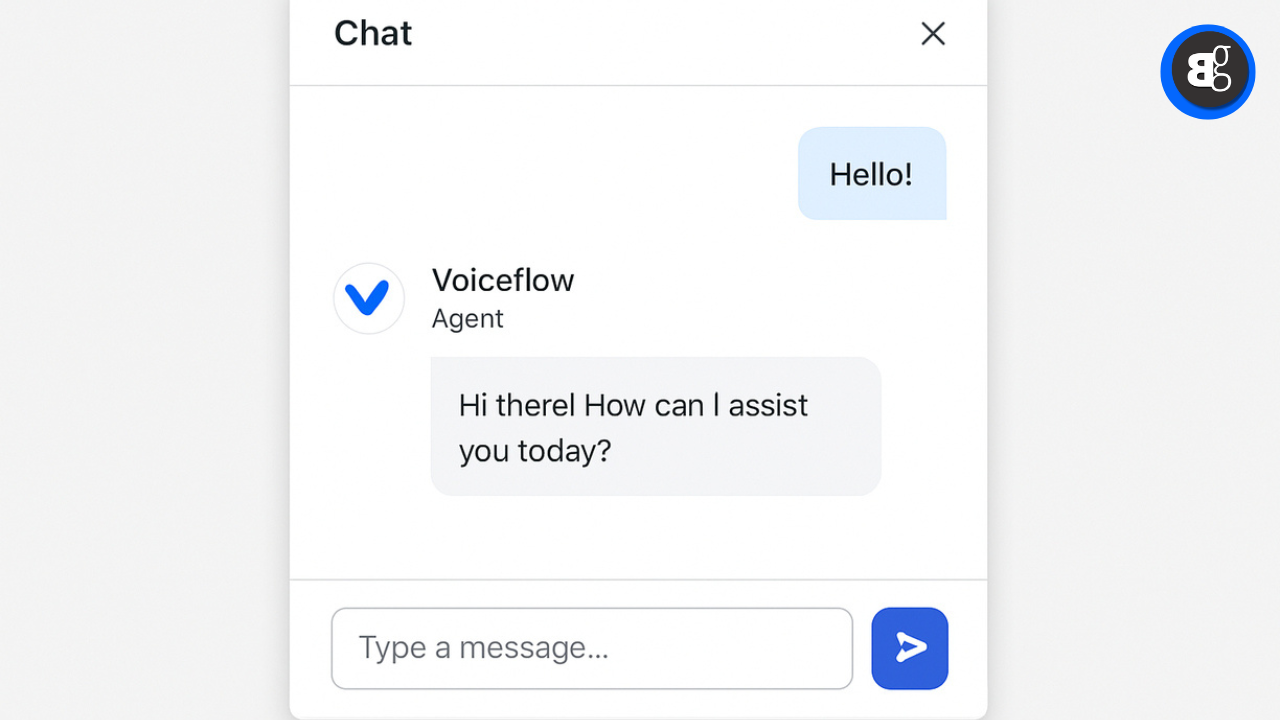
Example prompt for your Welcome Agent:
“You are a friendly Welcome Assistant for a wedding studio. Your only job is to assess the user’s interest: Interested, Maybe, or Not Interested.”
That’s it. Keep it focused.
Step 4: Gather Details (But Not Too Soon)
Once the user is clearly interested, guide them through sharing the essentials:
-
What’s your name?
-
What’s the best email for our pricing info?
-
Phone number for a quick call?
-
When’s your wedding?
-
Got a venue in mind?
-
How many guests are you expecting?
Advice: Don’t ask this stuff right away. Let them talk about their vision first it builds trust and gets better responses.
See More: 15 Free AI Tools To Boost Productivity and learning in 2025
Step 5: Automate the Backend
This part’s gold. Once someone fills out the info, we automate the rest using n8n:
- Auto-add lead to Google Sheet
- Email your sales team instantly
- Include full chat history so they’re prepped for the call
You wake up to ready to close leads instead of a messy inbox.
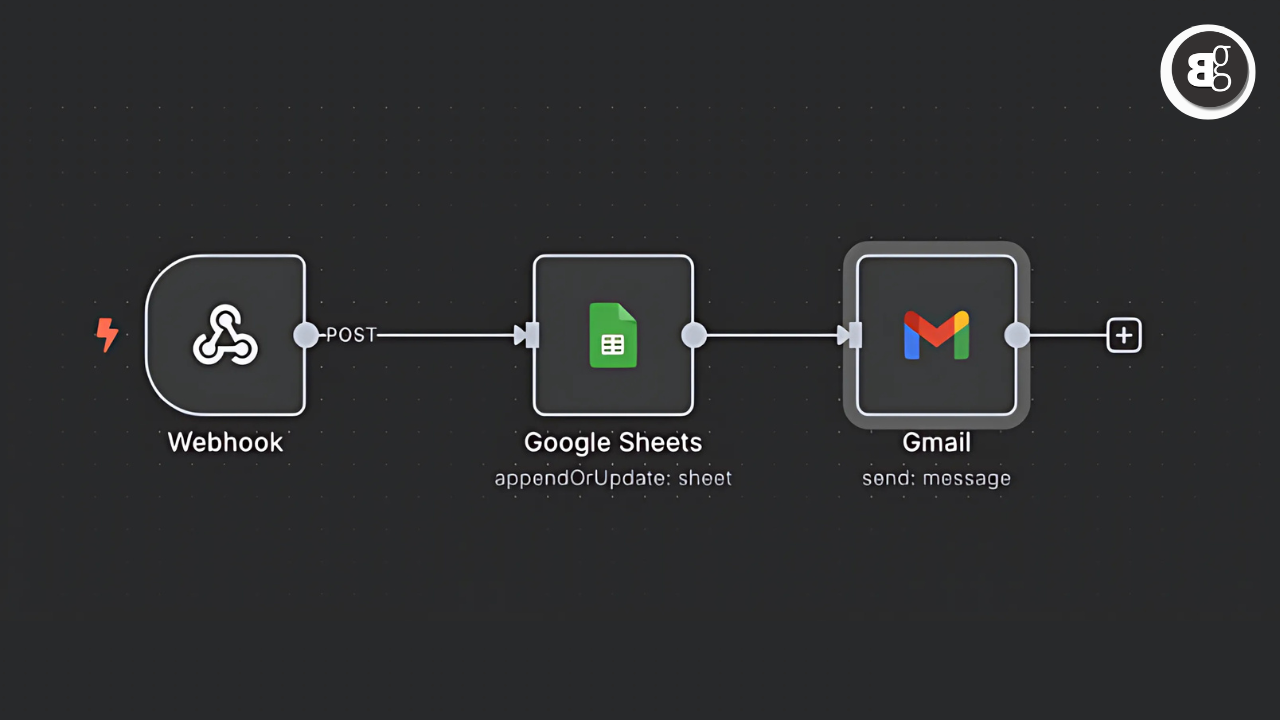
Step 6: Automated Lead Processing with Tool Calling
In simple words, Automated Lead Processing with Tool Calling means using AI powered tools to automatically handle new customer leads without needing a human to step in every time.
When a new lead comes in (like someone filling a form on your site), the system:
-
Collects the lead’s data
-
Instantly contacts the lead via smart tool (AI calling or messaging)
-
Can even book meetings automatically
-
Sends the lead info to your CRM or sales team
This process saves time, ensures faster response, and helps convert more leads with zero manual effort.
Step 7: Connect Everything Using Tixae
Here’s how to plug your Voiceflow chatbot into Instagram:
-
Generate an API key in Voiceflow
-
Create an account at voiceglow.org
-
Connect Meta channels and authorize your Instagram
-
Link your Facebook and Instagram accounts
-
Paste your Voiceflow API key into Tixae
Now your bot can send and receive real messages in Instagram DMs.
Testing the Full Integration
Send a message to your IG from a personal account and watch the magic. Try all 3 flows Interested, Maybe, and Not Interested.
- Make sure lead info lands in your Google Sheet
- Sales team gets the email
- Bot sounds human and helpful
Always Remember: Meta only lets you message someone within 24 hours of their last DM so stay on top of it or set up follow up automations.
Conclusion
As businesses look for smarter, more scalable ways to interact with customers, Voiceflow Agents and features like Automated Lead Processing with Tool Calling are becoming game changers. These tools enable brands to offer human like conversations, process leads instantly, and deliver 24/7 support all without overwhelming your human team.
Whether you’re running a startup or managing enterprise workflows, integrating these intelligent voice agents can lead to better engagement, faster conversions, and lower operational costs. In short, it’s not just about automating it’s about building smarter, more meaningful connections with your audience.