Hajra Naz
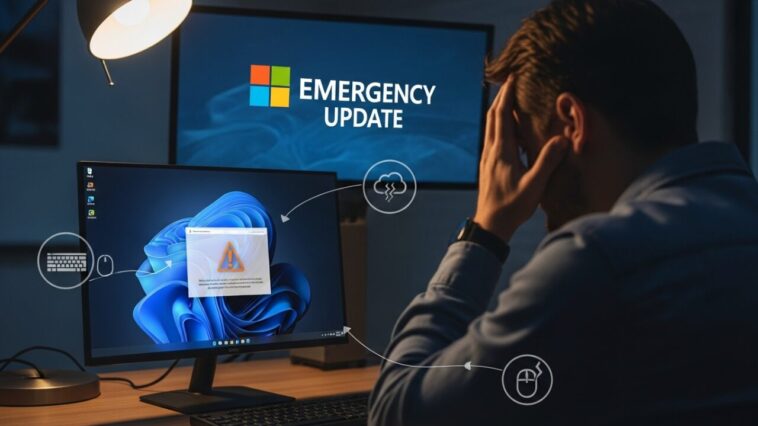
Just days after Microsoft stopped giving security updates to 500 million Windows 10 users, bad news hit Windows 11 users, too.
A new mandatory security update has caused serious issues, forcing Microsoft to confirm an emergency patch is on the way.

The Problem with the Latest Windows 11 Update
According to Windows Latest, Microsoft admits that the update KB5066835 is breaking localhost connections.
This means that apps running on your own computer can’t connect to your local network anymore.
But that’s not all.
Many users report installation errors and problems with accessories like keyboards, mice, and other devices not working properly.
Don’t Try to Fix It Yourself
Experts are warning users not to look for online fixes. Those “internet solutions” don’t work and could make things worse.
Instead, Microsoft says to wait for the emergency patch, which may take up to 48 hours to appear on your computer.
Microsoft also says users should check for updates and restart their PCs, even if no new updates appear yet.
Read More: Microsoft Finally Brings Windows ML to Life for AI PCs
What’s Causing the Issue?
Windows Latest found a problem in the kernel-mode HTTP server (HTTP.sys). When browsers or apps try to connect using HTTP/2 on 127.0.0.1 (localhost), the system fails to complete the connection.
This has broken IIS (Internet Information Services), which affects many apps and websites that run locally.
The site explains:
“Windows handles localhost requests by using HTTP/2 sessions in the kernel, which then pass the request to your app. But this update broke that process.”
More Bugs and Device Failures
Some users also report problems with Logitech accessories and input devices not working inside WinRE (Windows Recovery Environment). That’s a serious problem because it means you can’t use your keyboard or mouse if you’re trying to recover or reset your PC.
According to Windows Latest, this issue started with the same update (KB5066835). When you open WinRE to troubleshoot or reset Windows, the cursor doesn’t move, and keyboard buttons don’t respond — leaving users stuck.
User Backlash and Industry Reactions
Tech sites and forums are full of complaints.
Tom’s Hardware says this bug makes WinRE “useless” for many people since it blocks basic troubleshooting tools.
TechRadar notes that this update came on the same day Microsoft ended support for Windows 10. That’s terrible timing for people who upgraded only to face more problems. It also makes Windows 10 users less excited to switch to Windows 11.
Mashable adds that Microsoft ended Windows 10 support just last week, so this new problem looks especially awkward for the company.
Read More: Microsoft Teams Levels Up with Advanced AI Agents
Temporary Fixes and Workarounds
Until Microsoft releases the full patch, Bleeping Computer says users can try Bluetooth or old PS/2 devices for input. These seem to work even when USB devices fail.
There are other workarounds online, but they’re risky.
One solution involves editing system files, but if done wrong, it can make your computer unstable or stop it from booting.
If you’re not an expert, it’s better to wait for Microsoft’s official fix.
What About Windows 10 Users?
If you’re still using Windows 10, you’re now out of regular security updates.
To stay protected, you’ll need to join Microsoft’s Extended Security Updates (ESU) program.
That gives you another year of protection until 2026.
TechRadar warns that Windows 10’s last update fixed many major security flaws, showing how important extended updates are.
If you want to keep your system safe, you can now buy a year of extra support through the Microsoft Store.
A Rough Week for Microsoft
The Register summed it up perfectly:
“In the same week, Microsoft’s installer broke, its new OS failed local connections, and its upgrade push showed how fragile its ecosystem is.”
It’s only been a week since Windows 10 ended, and now millions of Windows 11 users are waiting for emergency fixes.
Meanwhile, Microsoft is working on a big shift—turning Windows into an AI-first operating system that’s “always listening and always watching.”
The coming months will be critical as Microsoft works to fix these issues and rebuild user trust.
Read More: Important Upgrade Warning from Microsoft for 200 Million Windows Users
FAQs
1. What is Windows 11 KB5066835?
It’s a recent mandatory security update for Windows 11. Unfortunately, it caused major bugs that broke local apps and device functions.
2. What problems does the update cause?
The update breaks localhost connections, blocks some apps, and causes keyboards and mice to stop working in Windows Recovery.
3. How can I fix Windows 11 issues?
Wait for Microsoft’s emergency patch. Avoid online “quick fixes,” as they may cause more damage.
4. When will the fix for Windows 11’s problems arrive?
Microsoft says the patch could take up to 48 hours to appear for affected users. Keep checking for updates and restart your PC.
5. What should Windows 10 users do now?
Since official support has ended, join Microsoft’s Extended Security Updates program to stay protected until 2026.