Hajra Naz
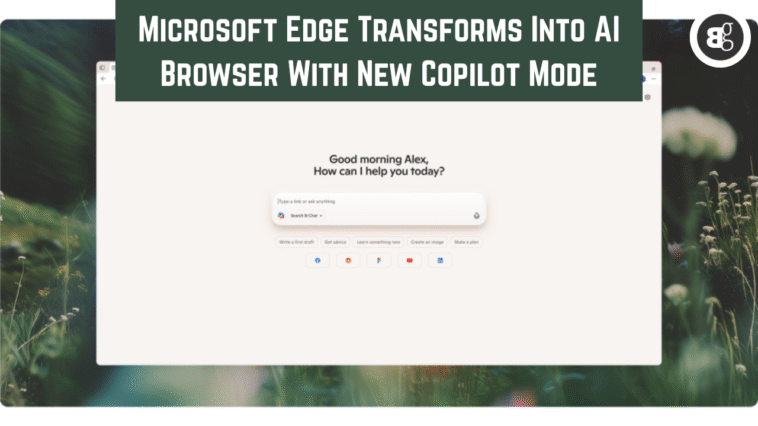
With interest in AI-powered browsing on the rise, Microsoft has introduced a new feature in its Edge browser called Copilot Mode. The tool lets users browse the web with the assistance of artificial intelligence, acting as a helper that can understand what someone is researching, predict their next move, and even take action on their behalf.
For now, Copilot Mode is still experimental. Microsoft stresses that the feature is opt-in only and free to try on both Mac and PC for anyone with access to Copilot.

How Copilot Mode Works
Once enabled, Copilot Mode changes how users interact with Edge. The new tab page becomes a hub where you can search, chat, and navigate the web with Copilot’s help. While browsing specific web pages, the AI companion can jump in to assist.
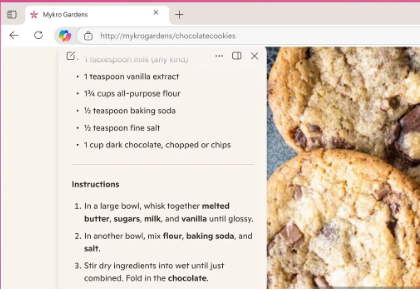
For example, Microsoft demonstrated how someone could ask if a recipe they’re reading could be made vegan. Copilot would then suggest ingredient substitutions. Instead of copying and pasting content into a chatbot, Copilot can analyze the page directly and provide tailored answers.
It can even simplify things further. If you don’t want to scroll through the long “life story” that often accompanies online recipes, you can just ask Copilot to summarize the recipe itself.
Tasks Beyond Search
Microsoft says Copilot can handle a range of everyday tasks. Users can ask it to book appointments, create shopping lists, or draft content. This idea of “agentic browsing”—where ”AI takes action on your behalf—is seen as the next big step in AI-powered web experiences.
The idea sounds powerful. But it’s not clear if people will use it. For some tasks, chatting with AI may feel slower. Booking a hotel or flight could be quicker on your own.
Still, Copilot has helpful features. Voice input makes it easier for non-tech users. It also helps people with limited mobility.
Microsoft says more is coming. In the future, users can give Copilot extra context. Things like login details or browsing history. This will allow Copilot to handle complex bookings more smoothly.
A Smarter Research Companion
One of Copilot’s key abilities is research help. With permission, it can view all open tabs. This helps it understand what the user is browsing. It can be useful for product comparisons. It can check multiple sites for flight deals. It can also help gather data for projects.
By seeing the bigger picture, Copilot saves time. It can sort information and suggest next steps. Microsoft says future updates will make it smarter. Copilot may even remind users where they left off and suggest actions.
Privacy Concerns
Of course, the idea of an AI tool that can “see” your browsing activity raises questions. Microsoft insists that user consent is required, and Copilot will only access tabs or browsing content when the person explicitly allows it. Visual indicators will also make this process transparent.
Even so, the thought of toggling on a feature that can view your tabs—and potentially listen to you through voice commands—may make some users uneasy.
The Road Ahead
Copilot Mode is Microsoft’s latest push to integrate AI directly into the web browsing experience. Microsoft has built Copilot directly into Edge. The goal is to move past simple chatbots. They want AI to become part of daily browsing.