Hajra Naz
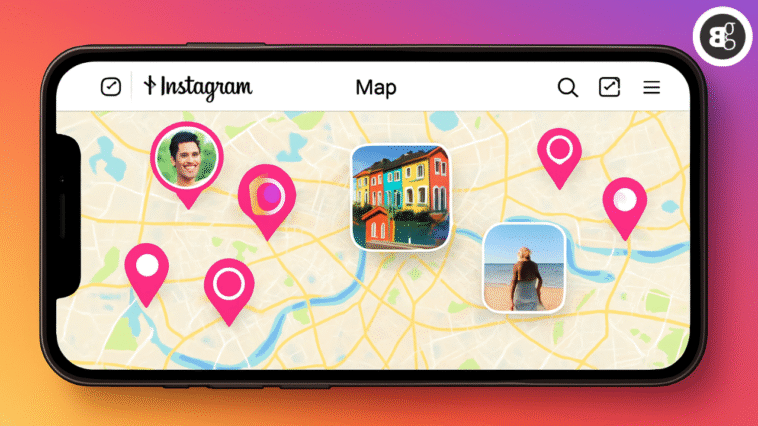
This week, Instagram launched a new tool for U.S. users called Instagram Map. It works a lot like Snapchat’s Snap Map. The feature lets you share your most recent active location with friends. You can also explore photos, videos, and other content tagged to specific places.
Snap Map allows users to share their location in real time or only when the app is open. Instagram Map works differently. It updates your location only when you open the app or when it runs in the background. It does not track you all the time. And it doesn’t broadcast your every move.

Privacy and Safety: Location Sharing Is Off by Default
Meta says location sharing is off by default on Instagram Map. After some questions and concerns, Instagram head Adam Mosseri spoke about safety. He said location sharing is opt-in. He also reassured users who might be confused about how it works.
Some people have noticed that the map already shows locations of others. This is because Instagram Map pulls location tags from recent Stories or Reels. If a post tags a place, it can appear on the map.
Location tags on Instagram are not new. But the updated map makes finding them much easier. This might make people think twice before tagging where they are—especially while still there.
Read More: Experiment with Content Using Trial Reels
Accessing Instagram Map
To open Instagram Map:
-
Go to your Direct Messages (DMs) page.
-
Tap the new “Map” option at the top of the screen.
-
If it’s your first time using the feature, a pop-up will appear explaining that no one can see your location until you share it.
-
The pop-up will also mention that you can change your location-sharing preferences at any time.

Setting Your Location-Sharing Preferences
When you first launch Instagram Map, you’ll see a page labeled “Who can see your location.” You can choose to share your location with:

-
Friends (followers you follow back)
-
Close Friends list
-
Select users
-
No one
If you want to adjust your preferences later:
-
Go to your profile.
-
Tap the settings icon in the top-right corner.
-
Select “Story, Live, and Location.”
-
Tap “Location Sharing.”
-
Choose your new preference.
Even if you have location sharing turned off, others can still share their location with you—allowing you to see them on your map.
Read More: How To Get Clients From Instagram and TikTok: Important Proven Strategies
Using Instagram Map
When you open Instagram Map, you’ll see:
-
Friends’ locations if they’ve shared them with you.
-
Location-based Stories and Reels from people you follow.
For example:
-
If a friend attended a nearby music festival and posted a story, it would appear on your map.
-
If a creator you follow shared a reel about a new restaurant in your city, you could discover it via Instagram Map.
You will still be able to view location-based content even if your location sharing is disabled.
Adding Notes to Instagram Map
Instagram has also integrated Notes into the new map feature. Notes are short, temporary messages that typically appear at the top of your DM feed. Now, with Instagram Map, if a Note includes a location tag, it will appear directly on the map—allowing friends and followers to see it in context.