Hajra Naz
Most project management tools promise control. Few handle the daily mess of real work. Tasks get delayed. Messages scatter. Time tracking turns into guesswork. Industry studies consistently show that more than 65 percent of projects face delays due to poor task visibility, weak coordination, and unclear ownership. After remote work became common, these problems increased instead of shrinking.
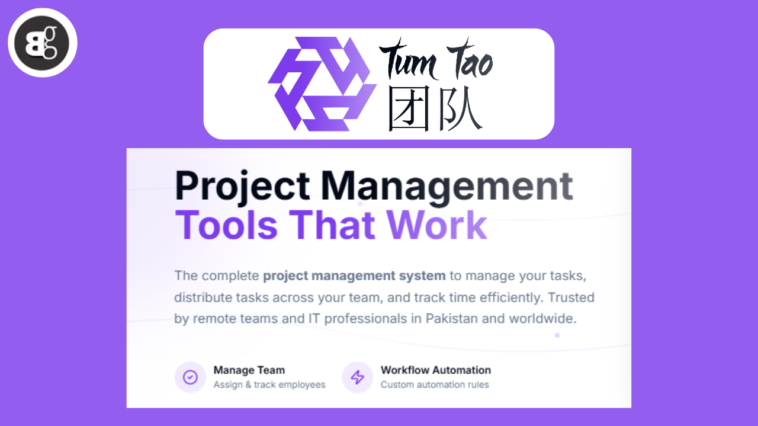
TumTao, a project management tool is built by WorkChest, focuses on fixing those everyday problems. It works best for teams that need visibility, structure, and fewer follow-ups, not more dashboards.

What is TumTao?
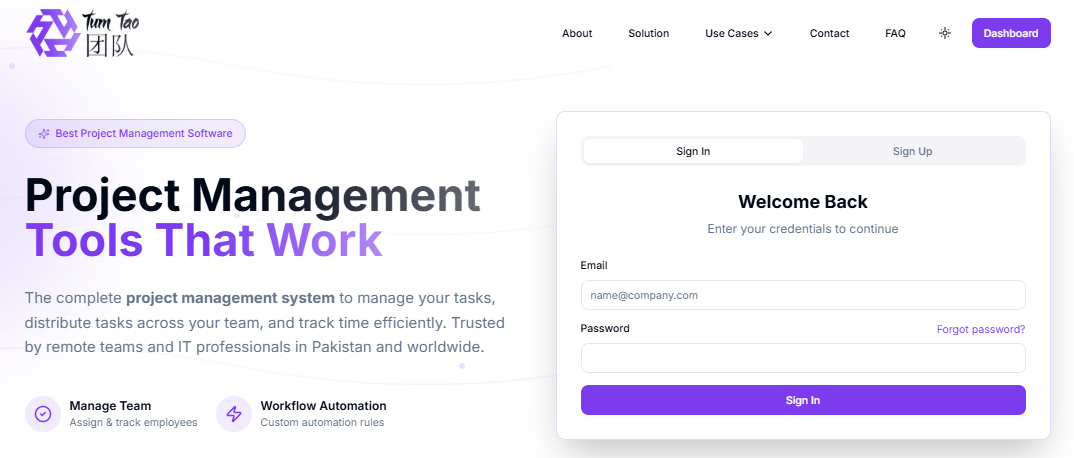
Tum Tao is a project management system that brings tasks, people, and time tracking into one workspace. Teams use it for daily operations, not just planning meetings.
For example, an IT services team managing multiple client projects struggled to know which developer was working on what. After moving to Tum Tao, task ownership became visible on Kanban boards, and daily status calls were reduced to short weekly check-ins.
It suits teams that work in short cycles. IT projects, remote teams, freelancers handling multiple clients, and growing businesses in Pakistan often fall into this category.
It is not designed for long-form documentation or heavy corporate reporting. The strength is execution.
How Teams Work Inside Tumtao
-
Task Handling Without Extra Steps
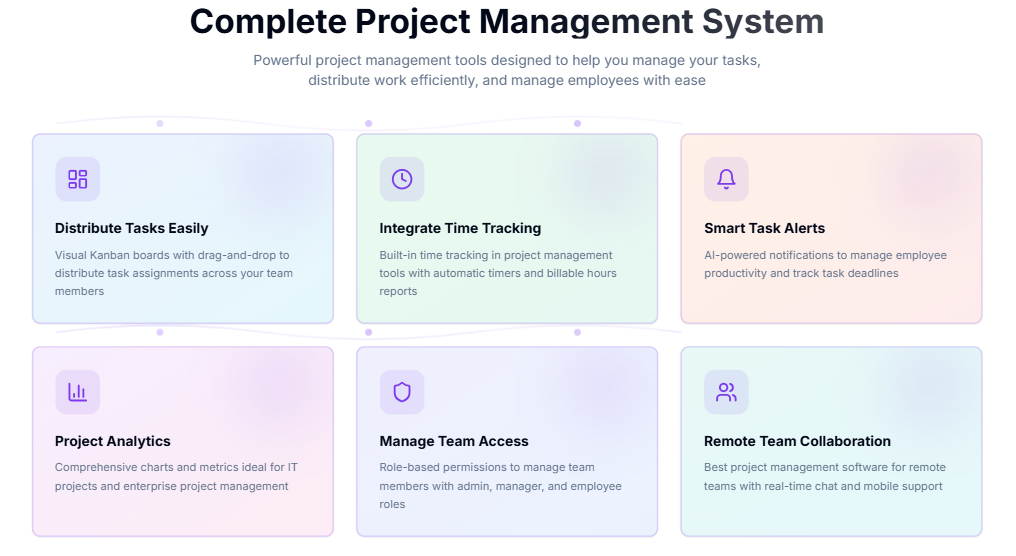
Tasks live on Kanban boards. Team leads move work forward by dragging tasks, not rewriting plans. Deadlines stay visible. Missed tasks stand out quickly.
-
Time Tracking That Reflects Reality
Tum Tao tracks time directly on tasks. Users start a timer when work begins and stop it when done. This removes the need for manual timesheets later.
For freelancers, this matters. For managers, it avoids billing disputes.
-
Alerts That Push Action
Instead of constant reminders, Tum Tao sends alerts when deadlines approach or tasks stall. These alerts rely on task behavior, not fixed rules.
The system reacts to how the team works, not how a manual was written.
-
Communication Tied to Work
Chats, notes, and updates stay attached to tasks. This prevents long message threads with no context. Remote teams benefit most from this structure.
-
Analytics That Answer Simple Questions
The reporting focuses on questions managers actually ask.
- Which tasks keep getting delayed?
- Where is time being lost?
- Who is overloaded this week?
Charts update in real time. Reports are exported quickly.
Read More: 10 Free Project Management Applications
Who TumTao Fits Best
Tum Tao works well for:
-
Remote teams working across time zones
-
Freelancers managing billable projects
-
IT teams running sprint-based workflows
-
Pakistani startups looking for a local-friendly project system
Large enterprises with layered approvals may need additional tools alongside them.
How to Sign Up for Tum Tao
The sign-up process stays simple.
-
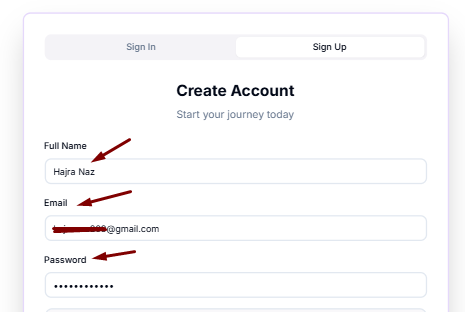
Open the TumTao website and select Sign Up
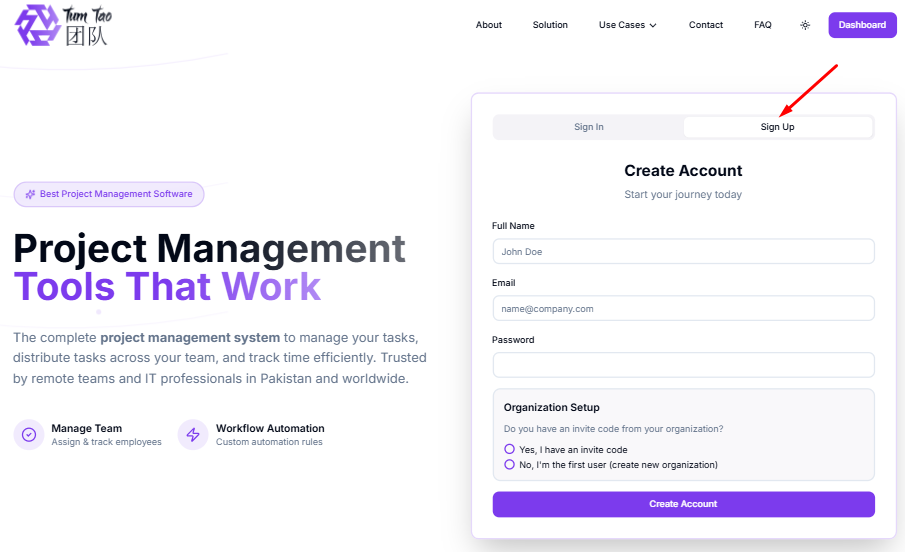
2. Enter your name, email, and password
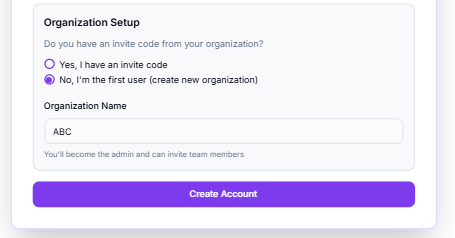
3. Choose organization setup
-
-
Use an invite code if your company already exists
-
Create a new organization if you are the first user
-
4. Add team members and create your first project
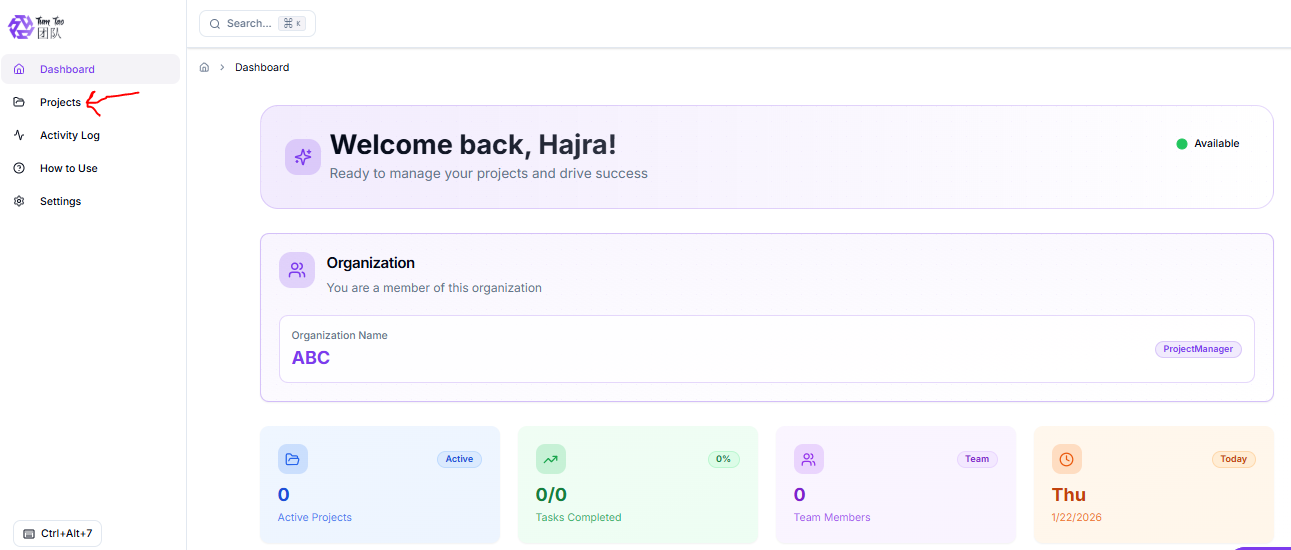
Most teams start assigning tasks within minutes.
Why Teams Continue Using Tum Tao
Teams stay with Tum Tao because it reduces noise.
- Fewer meetings.
- Fewer status questions.
- Better time records.
Platform usage data shows:
-
Over 10,000 active users
-
More than 500,000 tasks completed
-
Over 1 million work hours saved
Updates focus on user feedback and real usage patterns, not feature overload.
Read More: Micromanagement: How It Hurts Teams & How to Break Free
Final Note
Tum Tao does not try to impress with complexity. It focuses on daily execution. If your team needs clear task ownership, reliable time tracking, and fewer interruptions, it fits naturally.
You can start small and expand as the workload grows.