Hajra Naz
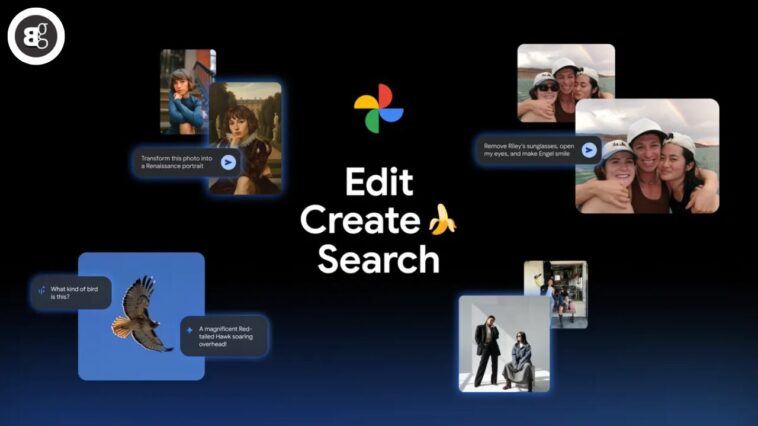
AI in Google Photos already helps you do more with your memories. You can edit photos with simple prompts, get creative with new styles, or even search using natural questions.
Now, Google is adding even more AI tools. These include advanced editing and creative features powered by Gemini’s top-rated image model, Nano Banana. Here are six new ways you can use AI in Google Photos to edit, create, and search like never before.

1. Fix photos with natural language
Ever taken a great shot with one small mistake—like someone’s eyes closed or sunglasses on? You can now fix those moments instantly.
Just open a photo, tap “Help me edit,” and type your request:
“Remove Riley’s sunglasses, open my eyes, make Engel smile.”
Google Photos uses your private face groups to make realistic, personalized edits based on your photo library.
2. Edit photos by simply asking — now on iOS
Forget sliders and complicated tools. You can now edit by just describing what you want using voice or text commands.
This feature is rolling out on iOS in the U.S., letting you bring your vision to life in seconds.
The new photo editor also makes it easy to use one-tap edits, gestures, and natural language editing to save time.
Read More: Edit Like a Pro with Words: Google’s AI Photo Editor Simplifies Editing
3. Restyle your images with Nano Banana
The wait is over. Nano Banana AI is now built into Google Photos’ editor.
You can transform any image in creative ways. For example:
-
“Paint me as a Renaissance portrait.”
-
“Turn my photo into a colorful mosaic.”
-
“Make it look like a children’s storybook page.”
Simply tap “Help me edit,” describe your idea, and watch AI turn it into a new style.
4. Reimagine your photos with AI templates
Writing your own prompts can feel hard. To make it easier, Google added a new “Create with AI” section on Android in the U.S. and India.
It includes ready-made AI templates powered by Nano Banana. You can instantly generate edits like:
-
“Put me in a high-fashion photoshoot.”
-
“Create a professional headshot.”
-
“Turn me into a winter holiday card.”
Coming soon, Google will also launch personalized templates in the U.S. These will use insights from your photo gallery to make AI edits based on your interests and hobbies, like:
“Create a cartoon of me and my hobbies.”
5. Ask Photos expands to 100+ countries
Ask Photos helps you find images fast using natural language. Just say what you need—like “photos from my Paris trip” or “pictures with my dog in 2022.”
The feature now works in over 100 countries and supports 17 new languages. This means more users can enjoy smarter, conversational AI photo search inside Google Photos.
Read More: Google Adds Digital Watermarks to AI-Edited Images in Magic Editor
6. Discover more with the new “Ask” button
The new Ask button takes AI search deeper. While viewing a photo, tap “Ask” to start a chat about that image. You can get instant answers about what’s in the picture, discover similar moments, or request edits directly.
Example: “Make this image brighter” or “Show me more photos from this event.”
It’s a new way to explore and interact with your photos using AI.
These AI features are rolling out globally, giving users more creative control, faster edits, and smarter search options.
Explore these updates today and discover how Google Photos AI can enhance your memories even further.
FAQs
1. What is Nano Banana in Google Photos?
Nano Banana is Google’s latest AI image editing model, part of Gemini. It powers creative transformations, such as restyling, portrait painting, and photo effects.
2. Is Ask Photos available worldwide?
Ask Photos is expanding to 100+ countries and 17 new languages, so most users will soon have access.
3. Can I use AI editing tools on iOS?
Yes. The AI photo editing tools and redesigned editor are now rolling out to iOS users in the U.S.
4. What are AI templates in Google Photos?
They are ready-made AI prompts that let you create popular photo styles instantly—no manual edits needed.
5. Are my personal photos safe when using AI edits?
Yes. Google Photos uses private face groups stored securely in your account to create personalized, accurate edits.